
You've seen Housecall Pro ads everywhere. The slick proposals on an iPad. The customer paying with a tap. The seamless scheduling dashboard that looks nothing like the whiteboard chaos you're managing right now.
But here's the question nobody answers in those testimonials: Does it actually work when you're juggling 12 service calls, two no-shows, and a crew that barely opens their email?
Housecall Pro has become one of the most recognizable names in field service management, with over 200,000 professionals using the platform. It's not because of clever marketing: it's because the tool solves real problems for real service companies. But like every platform, it comes with trade-offs that can make or break your operations depending on where you are in your growth.
Let's break down what Housecall Pro does brilliantly, where it falls short, and whether it's the right fit for your business.
The Pros: Where Housecall Pro Shines
Visual Proposals That Actually Close Jobs
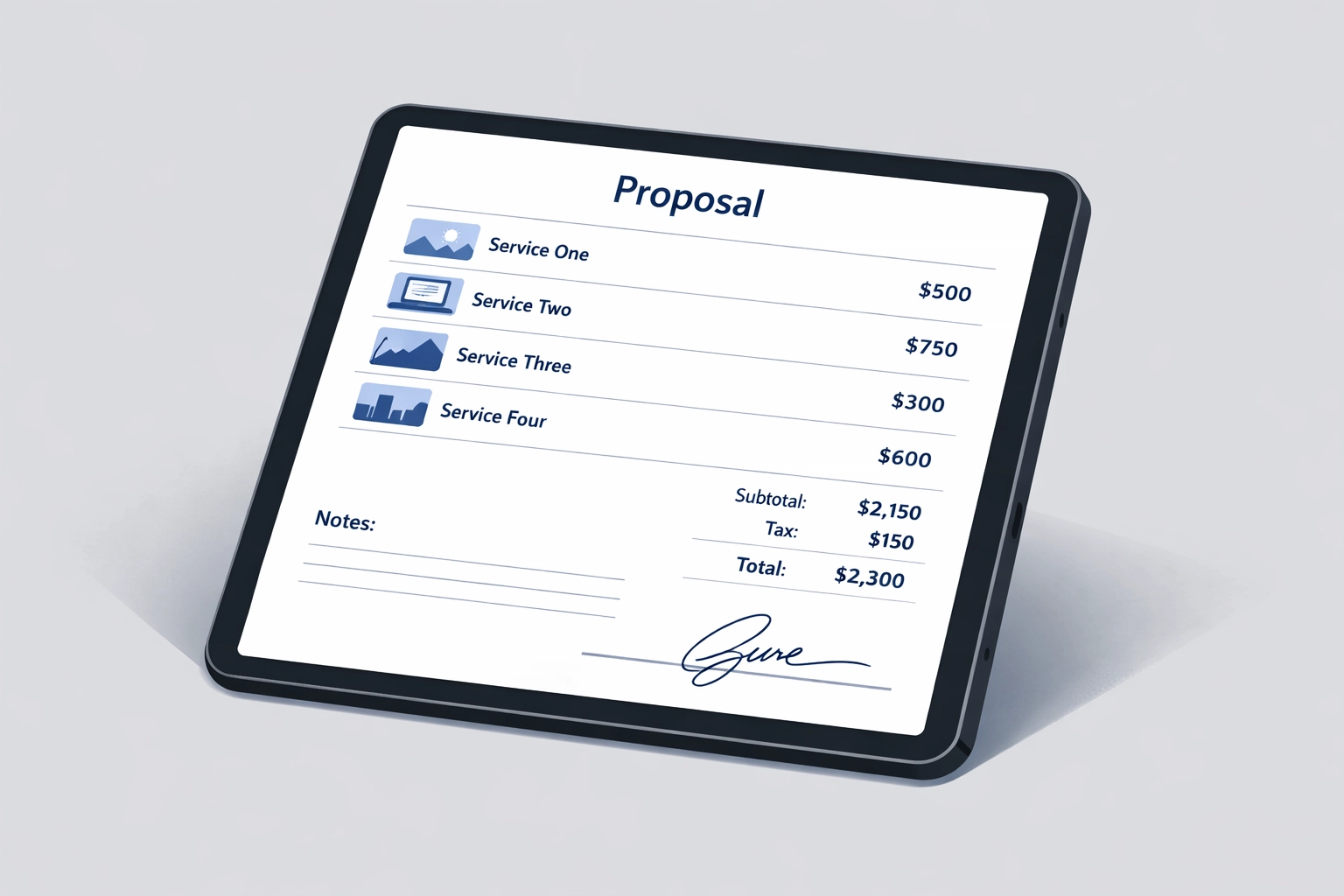
If you're still printing estimates on carbon paper or emailing PDF quotes, Housecall Pro's proposal builder will feel like a competitive weapon. Technicians can build polished, itemized proposals in the field: complete with photos, service descriptions, and instant digital signatures.
This isn't just about looking professional. It's about removing friction from the buying decision. When a tech can show a customer exactly what they're getting, adjust pricing on the fly, and close the deal before they leave the driveway, you capture revenue that would've otherwise walked.
One user reported a 90% year-over-year increase in jobs booked after implementing the platform. Another doubled their revenue within two years. These aren't anomalies: they're what happens when you remove the gap between "interested customer" and "paid invoice."
Mobile Payments Without the Awkward Dance
Let's be honest: asking for payment is uncomfortable. Your techs hate it. Your customers drag their feet. Checks get "lost in the mail."
Housecall Pro solves this by letting customers pay directly from their phone: immediately after the job is done. Text, email, or right there on the tech's device. No invoicing lag. No follow-up calls. No wondering if that $3,200 HVAC repair is actually going to hit your account.
This single feature has saved companies hundreds of hours annually in collections work. It also accelerates cash flow, which matters more than most operators realize when you're trying to scale.
Scheduling That Doesn't Require a PhD
The drag-and-drop calendar interface is genuinely intuitive. You can see your entire crew's day at a glance, reschedule appointments in seconds, and automatically notify techs of changes. No more playing phone tag or group texting updates.
Real-time GPS tracking means you always know where your techs are: not to micromanage, but to give accurate arrival windows to customers and optimize routing. When Mrs. Johnson calls at 2 PM with an emergency, you can instantly see who's closest and available.
Users report saving 5–10 hours per week on scheduling alone. That's 500 hours a year you're not spending on administrative busywork.
Customer Communication on Autopilot
Housecall Pro sends automated reminders, job confirmations, and arrival notifications without you lifting a finger. It also requests reviews after every completed job and pushes them to Google and Facebook automatically.
This isn't just nice-to-have. It directly reduces no-shows, increases repeat business, and builds your online reputation: which is how most new customers find you in 2026.
One landscaping company went from 12 Google reviews to over 200 in 18 months simply by turning on the automated review request feature.

Built to Scale (When You're Ready)
Housecall Pro isn't just for solo operators. Companies with 15+ trucks use it daily because the platform can handle complexity without becoming unusable. You can start simple: basic scheduling and invoicing: and gradually layer in automation, reporting, and integrations as your operation grows.
Multiple users describe it as a system that "grows with you at a rate you need, at a price you can afford." That's rare in field service software, where most tools are either too basic or too enterprise-heavy.
The Cons: Where Housecall Pro Falls Short
Add-Ons Pile Up Fast
Here's the catch: Housecall Pro's base pricing looks reasonable until you start adding the features you actually need. Want advanced reporting? That's extra. Need more users? Extra. Marketing tools? Yep, extra.
For smaller operations, these costs can spiral quickly. What started as a $150/month solution can balloon to $400+ once you've added the integrations and automation features that make the platform useful.
This isn't necessarily a dealbreaker: you're still likely saving more in operational efficiency than you're spending. But it's worth modeling out the real cost before you commit.
Customer Support Can Be Frustrating
Multiple users report slow response times and lack of phone support when they hit issues. One operator spent over an hour trying to resolve a QuickBooks syncing problem with no resolution. Another described chat support as "hit or miss" depending on the rep.
When you're running a service business, downtime isn't just annoying: it's expensive. If your scheduling system crashes at 7 AM and you can't get through to support until noon, you've lost half a day of productivity.
Housecall Pro has improved its support infrastructure over the past year, but it remains a common complaint among users who need immediate help.
Platform Reliability Issues in the Field
Several users report connection problems when techs are on-site: the worst possible time for an app to freeze. One reviewer noted: "When you're in front of a customer and the app doesn't load, it destroys your credibility."
Most field service management platforms struggle with spotty cell coverage, but Housecall Pro's mobile app seems particularly sensitive to connectivity issues. If your techs work in rural areas or basements with weak signal, this could be a serious limitation.
QuickBooks Integration Can Be Messy
If you're already running QuickBooks Online for accounting, Housecall Pro's integration is supposed to sync invoices, payments, and expenses automatically. In practice, many users report recurring errors: especially around sales tax calculations.
One company reported over 100 unresolved sales tax error codes that required manual correction. Another had to hire a bookkeeper specifically to reconcile discrepancies between the two systems.
If you rely heavily on QuickBooks for financial reporting, budget time (and possibly a consultant) to troubleshoot the integration.
Frequent Platform Changes
Housecall Pro updates frequently: which sounds good until you realize your team has to relearn workflows every few months. Several users describe feeling frustrated by changes that seem to solve problems they didn't have while creating new headaches.
This is common in SaaS platforms, but it's worth noting if you have a crew that resists technology changes or if your business operations consulting services team needs stable systems to build SOPs around.
Who Should (and Shouldn't) Use Housecall Pro
Housecall Pro is a strong fit if you:
- Run a 3–15 truck operation that needs to professionalize quickly
- Prioritize customer experience and mobile-first workflows
- Value closing jobs faster with visual proposals and instant payments
- Need a system that can scale without requiring a full-time admin
It's probably not the right fit if you:
- Operate on razor-thin margins where every $50/month matters
- Require deep inventory management or complex job costing
- Work in areas with consistently poor cell coverage
- Need enterprise-level support with dedicated account managers
The Real Question: Does It Solve Your Bottleneck?
No field service software is perfect. Housecall Pro's strength is removing friction from the customer interaction: from booking to payment. If that's where you're losing revenue, it's worth the investment.
But if your real problem is operational chaos behind the scenes: unclear processes, inconsistent quality, or techs working off outdated information: technology alone won't fix it.
Before you migrate to any platform, map your actual workflows. Document what happens when a call comes in, how jobs get scheduled, and where information gets lost. That clarity is what transforms software from an expensive subscription into a growth engine.
If you're not sure where your bottlenecks are, consider working with sop creation services professionals who can audit your operations before you invest in new tools. The right software only works when it's built on top of solid processes.
Housecall Pro is powerful. But like any tool, it's only as effective as the system you build around it.